
Guide to fixing a "Pending" phone number
💡 The “Pending” status usually happens because your phone number was previously added to, or is currently connected with, another WhatsApp / WhatsApp Business account.
To fix it, remove the number from the old Business and then connect it again in the Trust1 app.
Step 1: Remove the phone number from the previously connected WhatsApp Business
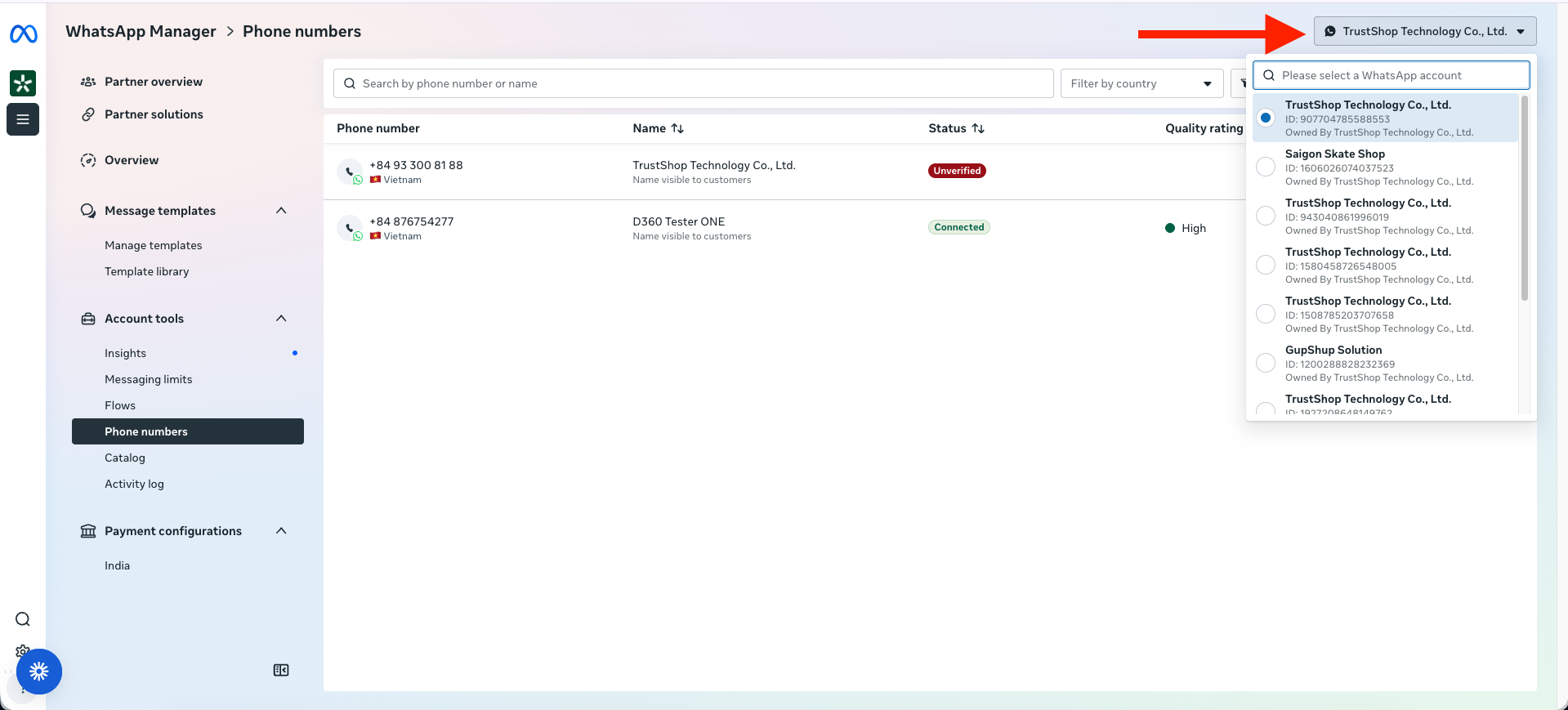
- Open the WhatsApp Business phone number manager:
- If you have multiple Businesses, switch between them to find where the phone number currently exists.
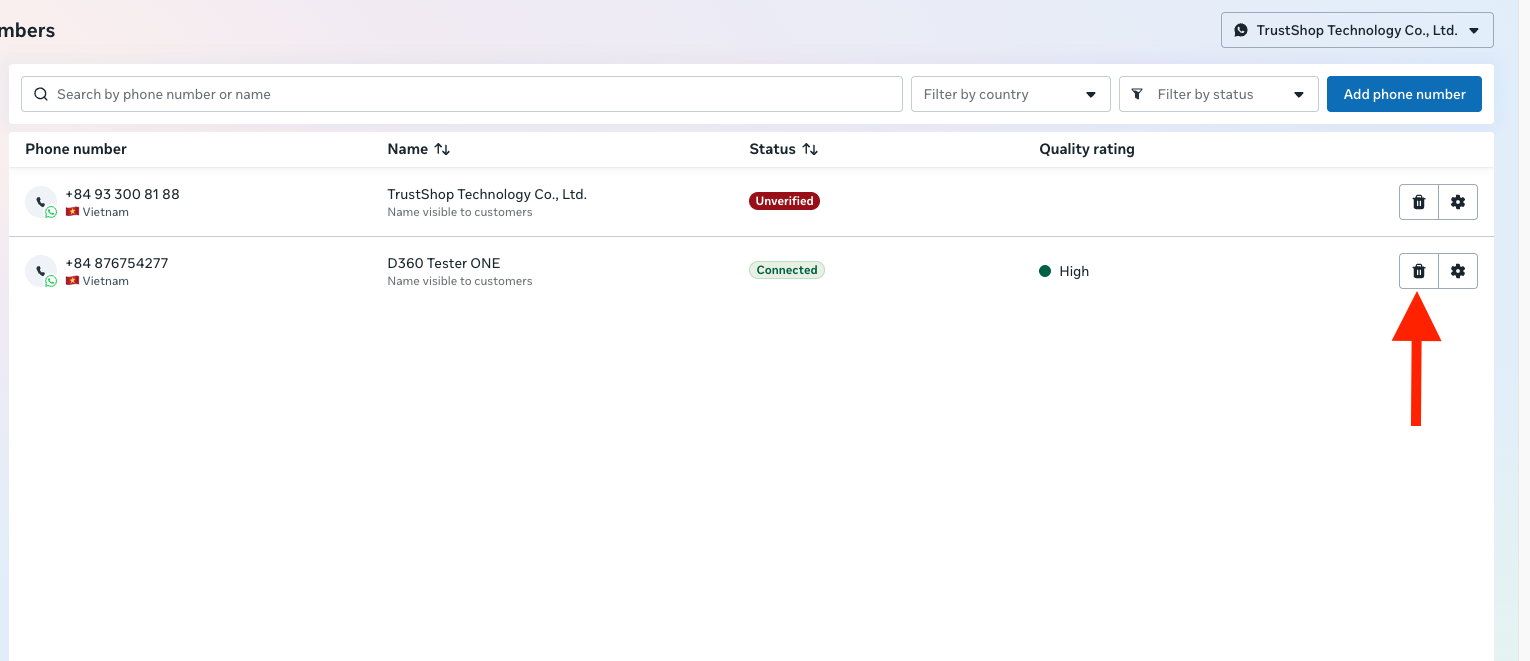
- Once you see the phone number with status Connected, click the trash/Delete button to remove it from the old Business.
Step 2: Re-connect the phone number in the Trust1 app
- Open Trust1: WhatsApp
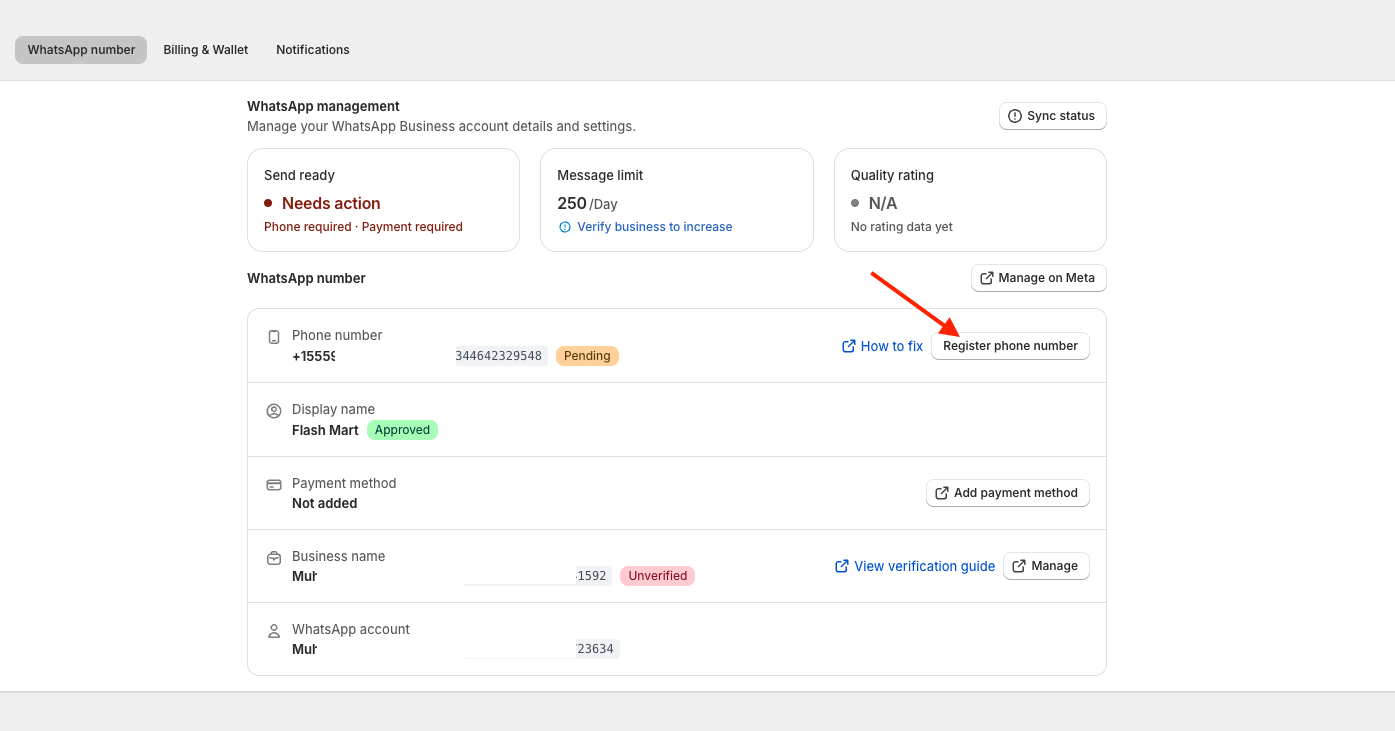
- Go to Settings > WhatsApp Number
- Click Register phone number to connect the number again.
Need help?
Stuck, or seeing an error not listed here? Our team is happy to help.
- In the app: click Chat with support
- WhatsApp: +84 846 043 192
- Email: [email protected]